
If you are researching an in-depth Krea AI review, evaluating Krea AI pricing plans, or seeking a dedicated Krea AI video alternative, this comprehensive 2026 benchmark guide analyzes real-time generation speeds, compute unit consumption, and commercial licensing policies.
Krea AI Pricing & Verdict: Direct Answer
Krea AI is a real-time generative visual suite known for its sub-50ms Latent Canvas that offers 100 non-commercial daily compute units for free and paid plans ranging from $10 to $60 per month, with video generation and enhancement costing 10 to 30 compute units per output.
The key thing to know: While Krea's real-time sketching interface is one of the fastest interactive tools on the market, free tier generations strictly prohibit commercial usage, and its video generation module functions as an auxiliary tool with limited temporal physics.
- Pricing Structure: Free tier (100 daily compute units, non-commercial only), Basic is $10/month (1,200 units), Pro is $30/month (3,600 units), and Max is $60/month (8,000 units).
- Core Strengths: Sub-50ms real-time canvas feedback, AI Video Enhancer super-resolution, and camera keyframe animation.
- Primary Drawbacks: Non-commercial restrictions on free outputs, heavy compute unit drain on Video Enhancer upscaling, and lack of dedicated multi-model foundation video engines.
- Top Alternative Recommendation: For creators who require commercial-ready video generation, multi-model flexibility, and clear per-generation credits, test Vibe Video's AI Video Studio with complimentary free credits.
What Is Krea AI?
Krea AI is a synthetic media platform founded in 2022 by Victor Perez and Diego Rodriguez. Krea captured widespread industry attention in late 2023 with the release of its Realtime Latent Canvas, an ultra-low-latency generation pipeline that updates 2D AI imagery interactively in under 50 milliseconds as users paint simple color blocks or move canvas primitives.
Key technical components of Krea AI include:
- Realtime Canvas: High-speed diffusion engine optimized for interactive concept exploration, sketch-to-image synthesis, and live webcam stylization.
- AI Video Enhancer: Neural upscaler and artifact reduction filter that enhances draft-quality AI clips to crisp 4K resolution.
- Animate Tool: Keyframe-based animation tool that interpolates motion paths across canvas elements to create short video clips.
- Style Transfer: Transfers aesthetic visual weights, color palettes, and textural gradients from reference images onto new generations.
To explore an alternative studio dedicated to commercial video production, open the Krea Alternative Workspace on VibeVideo.
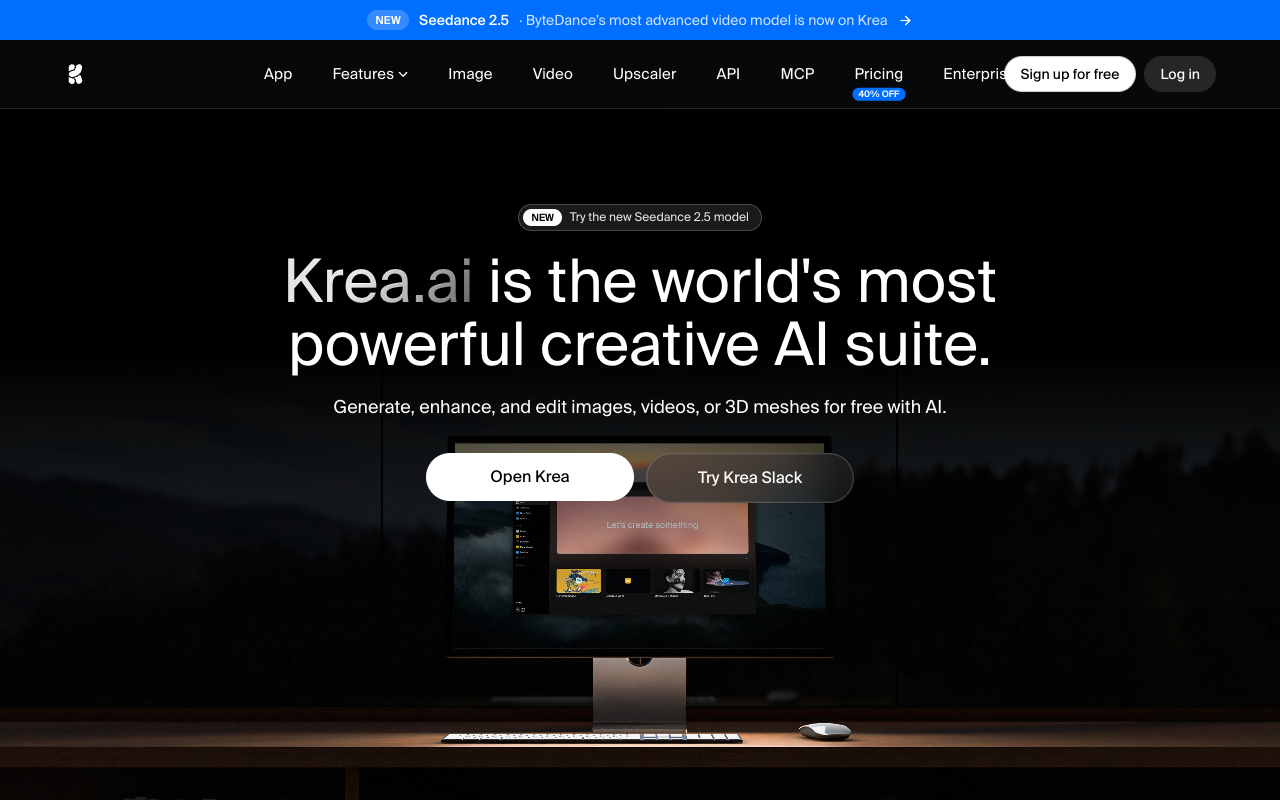 Krea AI official homepage and real-time generative canvas workspace in 2026.
2026 Krea AI Pricing Table
Krea operates on a compute unit subscription system where feature costs scale with render intensity:
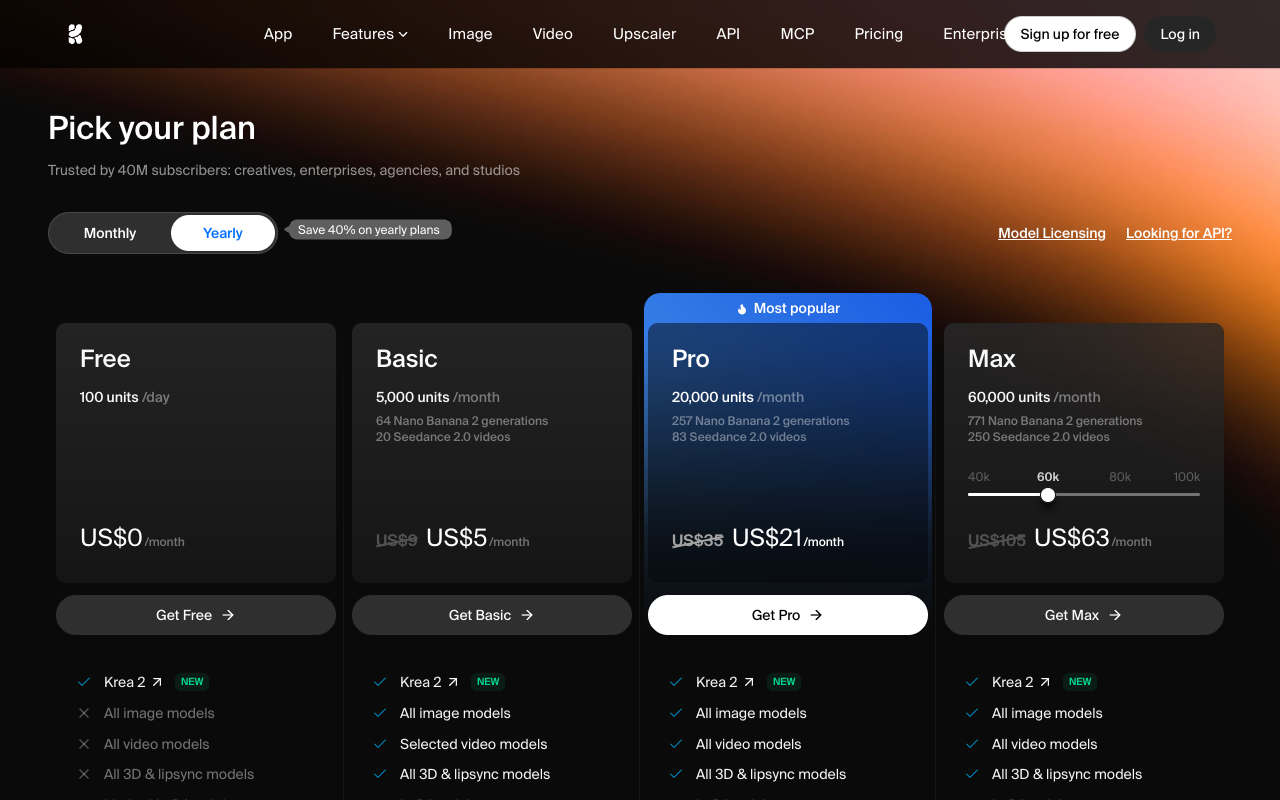 Krea AI official subscription tiers and compute unit allowances.
| Plan | Public Monthly Price | Annual Equivalent | Monthly Compute Units | Video Generations (~15 units/ea) | Video Enhancer (~30 units/ea) | Commercial Rights |
|---|---|---|---|---|---|---|
| Free Plan | $0 | $0 | 100 units / day | ~6 clips / day | ~3 upscales / day | Strictly Non-Commercial |
| Basic | $10 / mo | $8 / mo | 1,200 units / mo | ~80 clips | ~40 upscales | Full Commercial Rights |
| Pro | $30 / mo | $24 / mo | 3,600 units / mo | ~240 clips | ~120 upscales | Priority Queue, High Speed |
| Max | $60 / mo | $48 / mo | 8,000 units / mo | ~530 clips | ~260 upscales | Maximum Queue Priority |
Note: Data verified against public pricing pages in 2026. Realtime active canvas drawing consumes compute units continuously during active sessions.
Krea AI Pros
1. Instantaneous Sub-50ms Real-Time Feedback
Krea's Latent Canvas provides the most responsive sketch-to-image experience in the AI sector, allowing designers to iterate compositions in real time without waiting for batch queues.
2. High-Quality Video Enhancer
The Video Enhancer module effectively removes blur, cleans up compression artifacts, and restores textural detail on AI-generated clips.
3. Integrated Concepting Workflow
Combining sketching, upscaling, style transfer, and animation within one web dashboard makes Krea convenient for rapid early-stage visual brainstorming.
Krea AI Cons & Video Limitations
1. Non-Commercial Licensing on Free Tier
Creators who generate concept art or videos using the free 100 daily units are legally prohibited from monetizing their work on YouTube, client deliverables, or commercial social media.
2. Rapid Compute Unit Depletion on Enhancer
Running 4K video upscales quickly exhausts monthly allowances, forcing creators on Basic ($10/mo) or Pro ($30/mo) tiers to purchase expensive top-up unit bundles.
3. Video Tool Lacks Dedicated Foundation Physics
Because Krea is fundamentally a 2D design tool, its video animation module lacks the sophisticated temporal coherence and multi-model depth of dedicated video foundation architectures.
Krea AI vs VibeVideo Comparison
| Feature / Metric | Krea AI | VibeVideo |
|---|---|---|
| Primary Focus | Real-time 2D sketch-to-image & upscaling | Dedicated AI Video Generation (Text-to-Video & Image-to-Video) |
| Video Motion Quality | Keyframe animation (basic physics) | Temporal video diffusion foundation models (Seedance 2.0, Gemini Omni Video) |
| Free Tier Rights | Strictly Non-Commercial | Universal Commercial Monetization Rights |
| Pricing Structure | Compute units per action ($10–$60/mo) | Transparent per-generation credit pricing |
| Render Latency | Instant 2D / 1–3 min video | Under 60 seconds cloud video render |
| Model Diversity | Single internal Krea pipeline | Multi-model integration across top video diffusion backends |
When to Choose Krea vs When to Choose VibeVideo
- Choose Krea AI if: You are a digital illustrator or product designer who needs real-time 50ms sketch-to-image brainstorming or wants to upscale low-resolution AI video clips with the Video Enhancer.
- Choose VibeVideo if: You need production-ready cinematic AI video clips with realistic human motion, multi-model versatility, and universal commercial licensing on all tiers. Explore VibeVideo's AI Video Creator today.
Frequently Asked Questions (FAQ)
What is Krea AI's Realtime Canvas?
Krea's Realtime Canvas is an interactive diffusion workspace that generates AI images in under 50 milliseconds as users sketch or place shapes on a virtual canvas.
How much does Krea AI cost per month?
Krea offers a free tier (100 daily compute units) and three paid plans: Basic ($10/mo for 1,200 units), Pro ($30/mo for 3,600 units), and Max ($60/mo for 8,000 units).
Can I use Krea AI videos commercially on the free plan?
No. Krea's terms of service strictly prohibit commercial use of assets generated on the free tier. Commercial rights require a paid subscription.
How does VibeVideo differ from Krea AI?
VibeVideo is a dedicated AI video generation platform that integrates multiple top-tier video diffusion models (like Seedance 2.0 and Gemini Omni Video), providing realistic temporal motion, camera controls, and universal commercial rights.
What is the best commercial video alternative to Krea AI?
VibeVideo is the top alternative for creators seeking high-definition 1080p video generation with free starter credits and transparent per-generation pricing.
Data sources: Krea AI official documentation, terms of service, and comparative benchmark testing by the Vibe Video research lab.