
If you are researching an unbiased PixVerse review, evaluating PixVerse pricing plans, or searching for the best PixVerse alternative, this 2026 technical guide provides complete data on features, credit costs, and generation performance.
PixVerse Pricing & Verdict: Direct Answer
PixVerse is an AI video generation platform specializing in anime aesthetics, Magic Brush motion painting, and 4K upscaling that costs between $10 and $60 per month, with standard 5-second video generations consuming 10 to 20 credits.
The key thing to know: While PixVerse excels at stylized character animation and Magic Brush directional painting, its separate credit surcharges for 4K upscaling and lip sync quickly deplete entry-level subscription quotas.
- Pricing Structure: Basic is $10/month (600 credits), Pro is $30/month (2,000 credits), and Expert is $60/month (5,000 credits).
- Core Strengths: Strong anime and stylized art fidelity, Magic Brush localized motion control, and integrated lip sync audio alignment.
- Primary Drawbacks: Multi-tier credit consumption (generation + upscale + audio), sudden speed bursts during fast motion, and non-accumulating daily free credits.
- Top Alternative Recommendation: For creators seeking multi-model diversity, transparent per-clip credits, and rapid cloud rendering without separate upscale fees, test Vibe Video's AI Video Studio with complimentary starter credits.
What Is PixVerse?
PixVerse is an AI video creation tool built by synthetic media researchers to provide accessible, high-motion generative video synthesis. Available via both a browser-based web studio and a Discord bot interface, PixVerse has gained strong traction among digital artists, anime content creators, and social media marketers.
Key technical components of PixVerse include:
- PixVerse V2 & V3 Models: Proprietary diffusion models tuned for cinematic lighting, vivid color saturation, and stylized character rendering.
- Magic Brush: A regional motion painting tool that enables creators to highlight specific zones of an image and dictate custom direction, trajectory, and speed.
- 4K Video Upscaler: A neural super-resolution filter that enhances generated 720p or 1080p outputs to high-bitrate 4K.
- Lip Sync & Audio Integration: Synchronizes character mouth geometry to uploaded voice audio tracks for animated dialogue.
To test an alternative workflow with transparent credit structures, explore the PixVerse Alternative on VibeVideo.
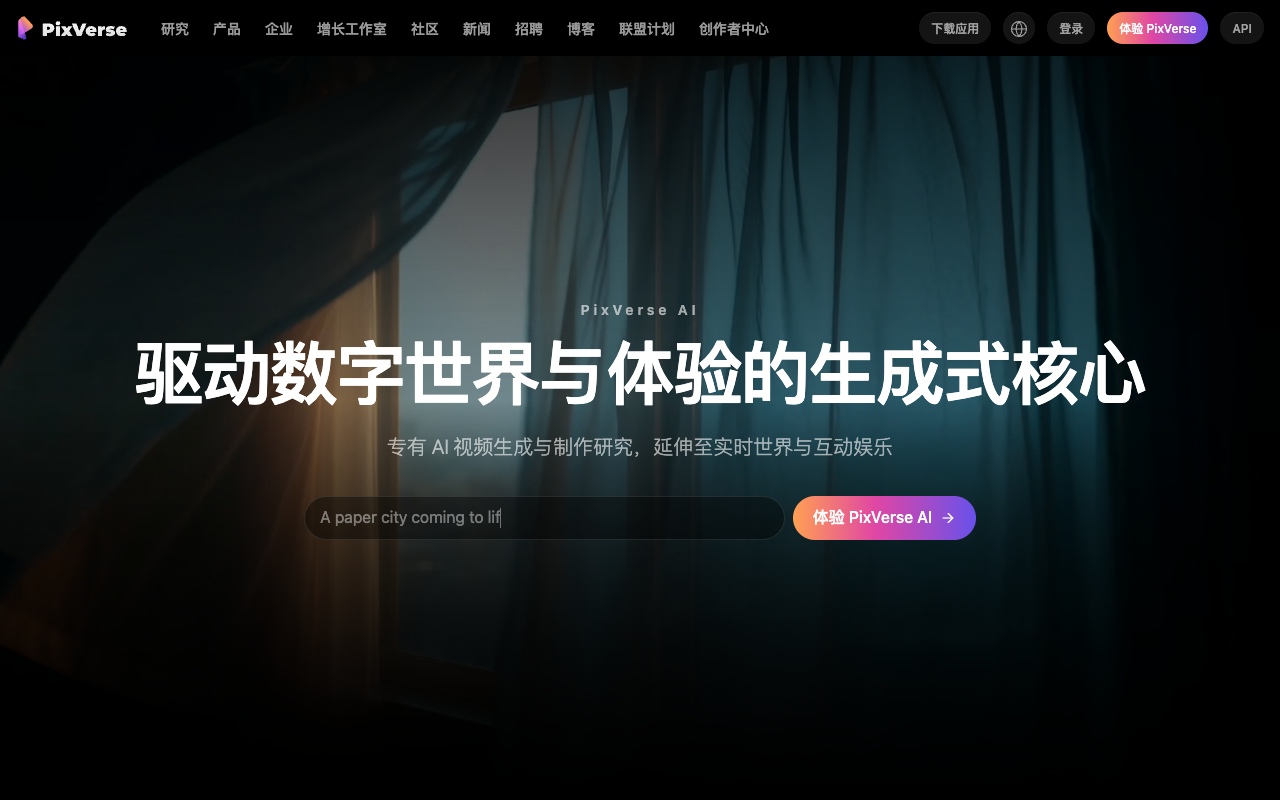 PixVerse AI official homepage and generative video studio in 2026.
2026 PixVerse Pricing Table
PixVerse operates on a monthly subscription credit model where feature costs vary by operation:
 PixVerse AI video generation settings and credit allocation interface.
| Plan | Public Monthly Price | Annual Billing Equivalent | Monthly Credits Included | Base 5s Videos (at 15 credits/ea) | Key Features |
|---|---|---|---|---|---|
| Free Check-In | $0 | $0 | 20–50 credits/day | ~2–3 clips daily | Watermarked, non-accumulating daily balance |
| Basic | $10 / mo | $8 / mo | 600 credits / mo | ~40 base clips | No watermark, Magic Brush, priority queue |
| Pro | $30 / mo | $24 / mo | 2,000 credits / mo | ~133 base clips | 4K upscaling, lip sync, high-throughput queue |
| Expert | $60 / mo | $48 / mo | 5,000 credits / mo | ~333 base clips | Maximum generation speed, dedicated support |
Note: Data verified against public pricing pages in 2026. High-tier features like 4K upscaling consume additional credits on top of base generation fees.
PixVerse Pros
1. Superior Anime & Cel-Shaded Fidelity
PixVerse is one of the strongest AI video generators for handling 2D anime linework, maintaining sharp contour lines and vibrant cel-shaded color profiles without muddiness.
2. Magic Brush Spatial Control
The Magic Brush tool gives creators intuitive localized control to animate specific scene elements (like flowing water or glowing eyes) while keeping characters completely still.
3. Integrated Audio Lip Sync
Built-in mouth movement synchronization eliminates the need to export clips into external lip-syncing software for basic dialogue scenes.
PixVerse Cons & Common Limitations
1. Credit Depletion from Add-On Features
Because base generation, 4K upscaling, and lip sync each incur separate credit deductions, producing a polished 4K talking character clip can consume up to 50 credits in a single pass.
2. Sudden Speed Bursts in Motion Dynamics
In complex physical interactions (such as sports or combat), PixVerse models occasionally generate sudden, unnatural acceleration bursts between frames.
3. Daily Free Credits Do Not Roll Over
Free tier users must use their 20–50 credits within 24 hours; unused daily grants are reset rather than accumulated in the account balance.
PixVerse vs VibeVideo Comparison
| Feature / Metric | PixVerse | VibeVideo |
|---|---|---|
| Model Availability | Proprietary PixVerse models only | Multi-model integration (Seedance 2.0, Gemini Omni Video, etc.) |
| Pricing Transparency | Base credits + separate upscale/audio fees | Simple, predictable per-generation credit costs |
| Average Render Speed | 1–3 minutes | Under 60 seconds cloud render |
| Free Tier Experience | Daily check-in (expires in 24h) | Free starter credits with full feature testing |
| Commercial Rights | Paid plans only ($10+/mo) | Included on all generation tiers |
| Aesthetic Versatility | Strong anime bias | Balanced photorealism, cinematic drama, and anime styles |
When to Choose PixVerse vs When to Choose VibeVideo
- Choose PixVerse if: You are focused on anime fan-animation, webtoon adaptations, or need built-in Magic Brush spatial painting combined with audio lip sync.
- Choose VibeVideo if: You are a video producer, agency editor, or digital marketer who wants fast, multi-model generation with predictable per-clip pricing and clean commercial licensing. Try VibeVideo's AI Video Creator today.
Frequently Asked Questions (FAQ)
What makes PixVerse popular among video creators?
PixVerse is popular for its high-contrast anime rendering, intuitive Magic Brush motion painting, and integrated tools like 4K upscaling and lip sync.
How much does PixVerse cost per month in 2026?
PixVerse offers three main subscription tiers: Basic ($10/month for 600 credits), Pro ($30/month for 2,000 credits), and Expert ($60/month for 5,000 credits).
Is PixVerse completely free?
PixVerse provides daily check-in credits (typically 20–50 credits/day), but free outputs include watermarks, lower queue priority, and no access to advanced features like 4K upscaling.
How many credits does a PixVerse generation use?
A standard 5-second video consumes 10 to 20 credits depending on resolution settings. Additional features like 4K upscaling consume roughly 20 extra credits per video.
What is the best alternative to PixVerse?
VibeVideo is a premier alternative, providing multi-model flexibility, crisp HD generation, and fast cloud rendering with transparent per-generation pricing.
Data sources: PixVerse public documentation, user community review metrics, and comparative testing by the Vibe Video research team.